 Rustango
 Internationalization (i18n)
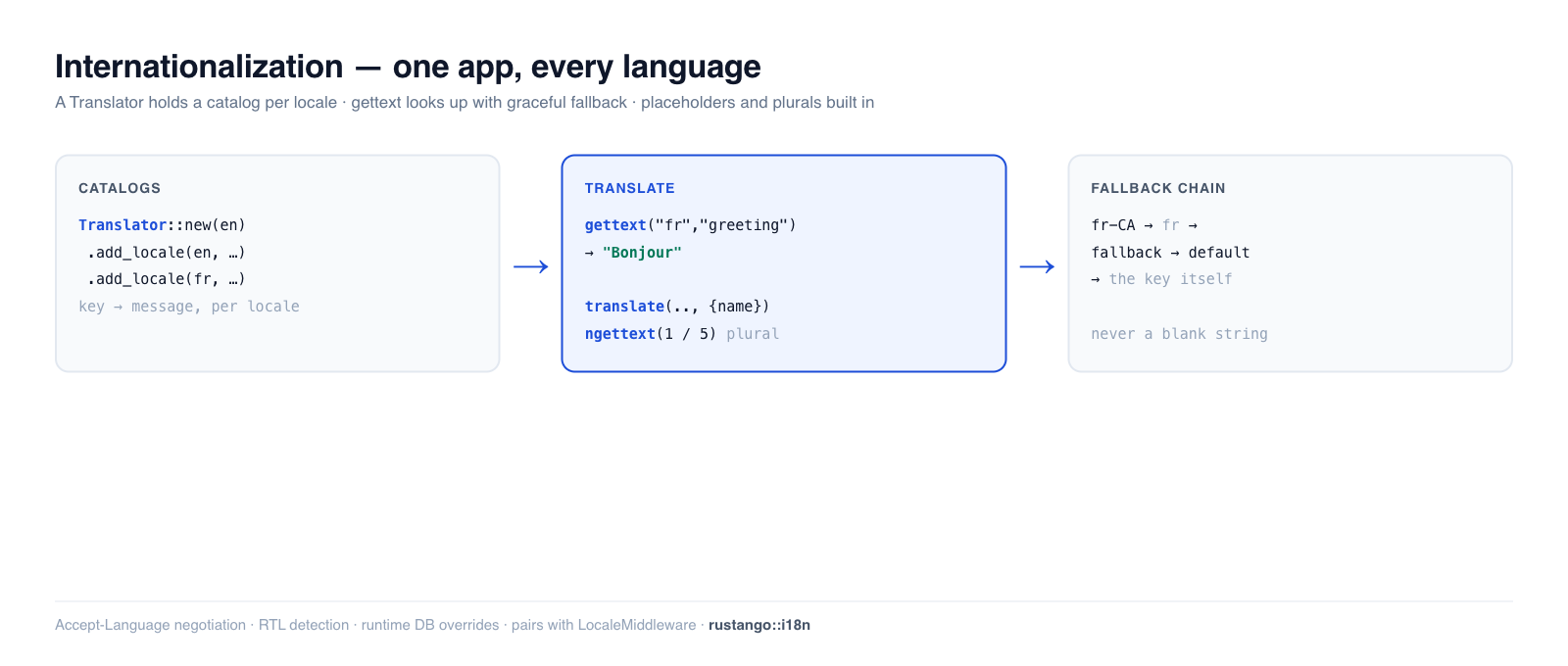
Internationalization is serving your app in the user's language. Rustango
splits it into two halves: resolving which locale a request wants (cookie →
Accept-Language → default — covered in Middleware), and
translating strings into that locale, which is this guide. The Translator
loads message catalogs per locale, substitutes {placeholders}, handles
plurals, and falls back gracefully — Django's gettext / {% trans %}, in Rust.
New to a term here? locale, catalog, Accept-Language, pluralization, RTL — see the glossary.
Source:
rustango::i18n(Translator,Locale,negotiate_language,plural_category,is_rtl_language,language_native_name, and thetera_tagstemplate bindings) — always compiled. The per-request locale/timezone middleware lives inrustango::i18n::middleware/::timezone(see Middleware).Runnable version: every snippet is copied from
i18n_doc.rs(cargo test -p rustango --test i18n_doc); DB-backed translation overrides are dogfooded byi18n_db_overrides_sqlite_live.rs.
Table of contents
- The two halves of i18n
- Step 1 — Build a Translator
- Step 2 — Translate strings (gettext)
- Placeholders
- Pluralization
- Fallback order
- Negotiating the language
- Right-to-left languages
- Translating in templates (Tera)
- Loading catalogs + runtime overrides
- See also
The two halves of i18n
| Concern | Where | What it does |
|---|---|---|
| Resolve the locale | i18n::middleware::LocaleMiddleware | picks a locale per request (cookie → Accept-Language → default) and exposes the ActiveLocale extractor |
| Translate strings | i18n::Translator (this guide) | looks up a message key in the active locale's catalog |
| Render dates in the user's TZ | i18n::timezone | the {{ ts | localtime }} filter |
You wire the middleware once, then translate using the locale it resolved.
Step 1 — Build a Translator
A Translator holds one catalog (a key → message map) per locale. Build it
with a default locale, then add catalogs:
use rustango::i18n::{Locale, Translator};
use std::collections::HashMap;

let mut en = HashMap::new();
en.insert("greeting".to_owned(), "Hello".to_owned());
en.insert("welcome".to_owned(), "Welcome, {name}!".to_owned());

let mut fr = HashMap::new();
fr.insert("greeting".to_owned(), "Bonjour".to_owned());

let translator = Translator::new(Locale::new("en"))   // default locale
    .add_locale(Locale::new("en"), en)
    .add_locale(Locale::new("fr"), fr);
Keep the Translator in your app state (it's cheap to clone-share) and look up
strings with the ActiveLocale the
middleware resolved.
Step 2 — Translate strings (gettext)
gettext(locale, key) returns the message for that locale — and degrades safely
when something's missing:
translator.gettext("en", "greeting");      // "Hello"
translator.gettext("fr", "greeting");      // "Bonjour"

translator.gettext("en", "missing.key");   // "missing.key"  — returns the key, never panics
translator.gettext("de", "greeting");      // "Hello"        — unknown locale → default
A missing key returns the key itself, so an untranslated string shows up visibly rather than crashing the page.
Placeholders
Messages can carry {name} placeholders; translate substitutes them from
key/value pairs:
// catalog: "welcome" = "Welcome, {name}!"
translator.translate("en", "welcome", &[("name", "Ada")]);   // "Welcome, Ada!"
gettext is the no-placeholder shorthand; translate (and gettext_fmt) take
params.
Pluralization
Plurals differ by language and count. ngettext is the two-form shorthand: it
picks the singular key for the CLDR one category and the plural key otherwise,
binding {count} automatically:
// catalog: "cart.one" = "1 item",  "cart.other" = "{count} items"
translator.ngettext("en", "cart.one", "cart.other", 1);   // "1 item"
translator.ngettext("en", "cart.one", "cart.other", 5);   // "5 items"
Use ngettext_fmt to pass extra placeholders alongside {count}.
Languages with more than two forms
Polish, Ukrainian, Russian, Arabic and others have few / many forms a
singular/plural pair can't express. plural_category(locale, n) returns the CLDR
category (one / few / many / other), and translate_plural picks the
matching form from a per-category catalog — one entry per key holding all its
forms:
use rustango::i18n::plural_category;

plural_category("en", 1);   // "one"
plural_category("fr", 0);   // "one"   — French treats 0 as singular
plural_category("pl", 2);   // "few"   — Polish 2–4
plural_category("pl", 5);   // "many"

// pl plural catalog: "deleted_pages" → { one, few, many }
let n = 5;
translator.translate_plural("pl", "deleted_pages", n, &[("count", &n.to_string())]);
// → "Usunięto 5 stron."   (the `many` form)
A missing form falls back to other, then to the scalar lookup (and finally the
key), so an untranslated language still renders. East-Asian languages
(zh, ja, …) have a single other form.
Fallback order
Lookups walk a chain so a partial translation never leaves a blank: the
requested locale → its base language → the fallback chain → the default locale
→ the key itself. So a French-Canadian request resolves against the fr
catalog:
// only "fr" is registered, not "fr-CA"
translator.gettext("fr-CA", "greeting");   // "Bonjour"  — base-language fallback
Set extra fallbacks with Translator::new(default).with_fallback_chain(&["en"]).
Negotiating the language
If you're resolving the locale yourself (outside the middleware),
negotiate_language parses a browser Accept-Language header and picks the best
match from the locales you support:
use rustango::i18n::negotiate_language;

negotiate_language("fr-FR,fr;q=0.9,en;q=0.8", &["en", "fr"]);   // Some("fr")
negotiate_language("de,ja;q=0.5", &["en", "fr"]);               // None — fall back to default
This is exactly what LocaleMiddleware uses under the hood.
Right-to-left languages
is_rtl_language (and Locale::direction()) tell you whether to set
dir="rtl" on the page — for Arabic, Hebrew, Persian, etc.:
use rustango::i18n::is_rtl_language;

is_rtl_language("ar");   // true
is_rtl_language("en");   // false
In a template: <html dir="{{ direction }}">, fed from the ActiveLocale. See
the RTL note in Middleware.
Translating in templates (Tera)
Everything above is the Rust API; in Tera templates — HTML views, and the admin
UI — the same Translator is exposed as filters/functions. Register them once
against the translator, and the active locale (the LANG context var the
middleware sets) drives every lookup:
rustango::i18n::tera_tags::register(&mut tera, translator.clone());
{{ "Save" | translate(locale=LANG) }}
<button title="{{ "Delete" | translate(locale=LANG) }}">…</button>

{# count-aware: pass the count both as the selector `n` and as a {count} arg #}
{{ translate_plural(key="deleted_pages", n=num, locale=LANG, count=num) }}

<html lang="{{ LANG }}" dir="{{ get_text_direction(locale=LANG) }}">
The key is the English source string (gettext-style), so an untranslated string renders in English rather than a blank — you wrap a UI string first and translate it later, with no key registry to maintain.
This is exactly how rustango-cms localizes its admin: every chrome string
goes through translate / translate_plural, catalogs ship per locale under
src/admin/locales/, the active locale is resolved by the cookie → per-user
preference → Accept-Language → per-tenant default chain, and a sidebar switcher
plus a per-user Preferences → Language setting let editors choose. Operator
edits via the DB-override layer (below) take effect without a redeploy.
Loading catalogs + runtime overrides
You rarely hand-build maps in production. Two loaders:
Translator::from_directory(dir, default)— load one catalog file per locale from a directory at startup.Translator::from_settings(&settings.i18n)— wire it from your config.
And operators can edit translations at runtime without a redeploy:
set_override(locale, key, value) (or load_overrides(rows) from a table) layer
on top of the file catalogs and win for that key. This DB-override flow powers
the admin translation editor and is dogfooded in
i18n_db_overrides_sqlite_live.rs.
See also
- Middleware — resolving the per-request locale (
LocaleMiddleware,ActiveLocale) and the{{ ts | localtime }}timezone filter. - HTML views · The admin — where translated strings and the translation editor surface.
- Glossary — locale, catalog, RTL, and friends in plain language.